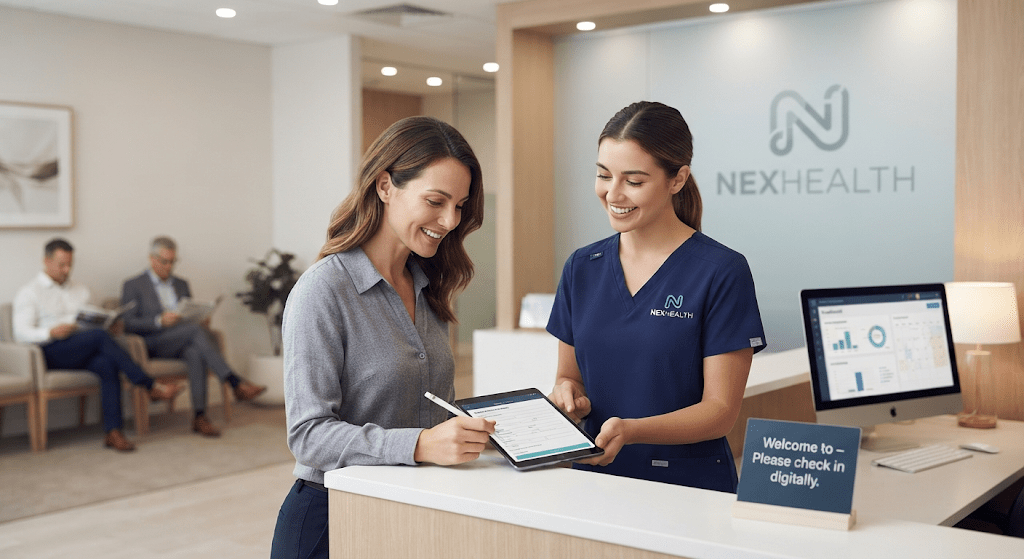
Managing a modern healthcare practice often feels like running a marathon while juggling. Between juggling endless phone calls, chasing down intake forms, and trying to keep the schedule full, front-desk staff can easily burn out. Enter nexhealth—a comprehensive patient experience platform designed to automate workflows, eliminate administrative bottlenecks, and completely transform how clinics connect with their patients.
If your practice is looking to modernize its operations, reduce no-shows, and create a smoother journey from booking to checkout, understanding what this tool offers is a great first step. Let’s dive into how patient engagement software is changing modern clinics.
What is NexHealth and How Does It Work?
At its core, nexhealth functions as a bridge between healthcare providers, electronic health record (EHR) systems, and patients. Unlike older standalone booking tools, it features real-time synchronization with major practice management systems like Dentrix, Open Dental, and Curve Dental.
This means that when a patient books an appointment online or fills out a digital form, the data updates instantly in your system without manual data entry.
- Real-Time Syncing: Prevents double-booking and keeps your calendar accurate.
- Bi-Directional Data Flow:Automatically logs patient preferences and updates records instantly.
- Unified Dashboard: Keeps messages, reminders, and waitlists in one convenient view.
Core Features That Drive Practice Growth
Modern healthcare consumers expect the same digital convenience from their doctors that they get from retail banking or online shopping. Implementing robust medical booking software helps practices meet these expectations head-on.
Streamlined Online Booking
Patients can view real-time availability and book appointments directly through your website or via smart links sent through text and email. This removes friction, capturing tech-savvy patients who prefer scheduling outside of regular business hours.
Automated Patient Communications
Reduce costly no-shows using automated SMS and email reminders. You can set up custom workflows to send pre-appointment instructions, follow-up messages, and recall notices without tying up your front desk.
Digital Intake Forms and Payments
Paper clipboards are quickly becoming a thing of the past. Patients can complete medical histories and consent forms safely from their mobile devices before arriving. Paired with integrated digital payments, this shortens billing cycles and gets balances collected faster.
Pros and Cons of Practice Automation
| Advantages | Potential Drawbacks |
| Drastically reduces front-desk phone time | Can be a significant investment for smaller clinics |
| High-reliability real-time EHR integration | Learning curve for staff adjusting to new workflows |
| Customizable forms and messaging templates | Custom configurations often require contacting support |
Frequently Asked Questions
1. What practice management systems does nexhealth integrate with?
It integrates smoothly with major dental and medical EHR systems, including Dentrix, Open Dental, Eaglesoft, and eClinicalWorks, ensuring your practice data stays unified.
2. Is the platform HIPAA compliant?
Yes, all messaging, digital intake forms, and data transfers are fully HIPAA-compliant to protect sensitive patient information.
3. How does it help reduce no-shows?
By sending automated, multi-channel reminders via text and email alongside easy rescheduling links, patients can confirm or adjust their visits instantly.
Conclusion
Adopting a specialized solution like NexHealth can heavily relieve administrative pressure, improve patient satisfaction, and keep your appointment calendar optimized. While it requires financial planning and team onboarding, the return on investment through saved staff hours and lower no-show rates makes it a powerhouse tool for growing practices.
Ready to explore further? Take a look at our related guides on comparing top medical CRM platforms or optimizing your clinic’s digital intake workflows to find the ideal fit for your team.